IV
Oracle Health · Electronic Health Record · 2025
Designing forContext.
A contextual workspace should support the clinical workflow—not compete with it.
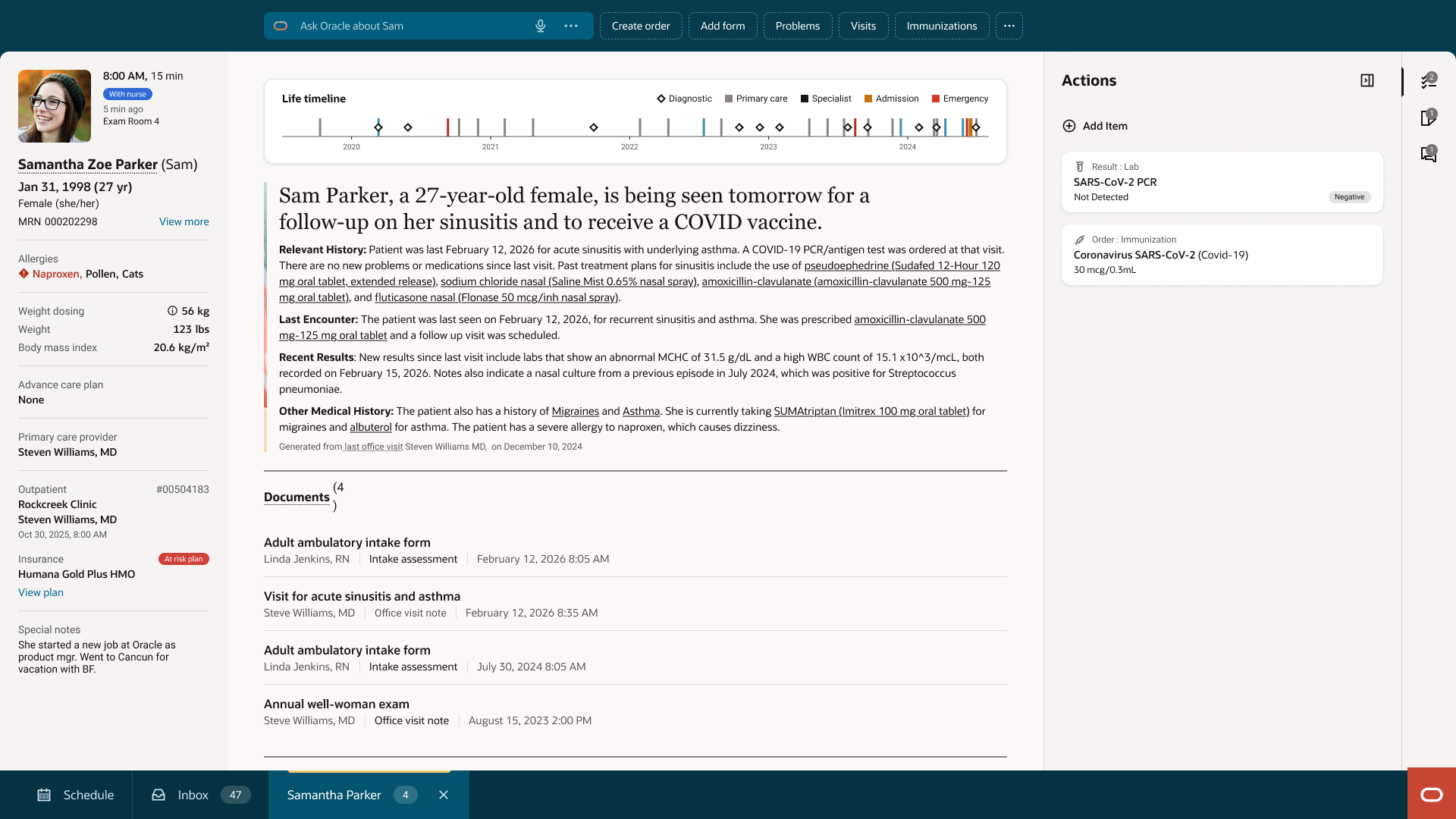
II — The Problem
The panel wasn't missing.Its purpose was.
The existing right panel accumulated responsibilities over time. Messages, notes, alerts, and navigation patterns evolved independently, turning what was intended to be a contextual workspace into a permanent destination competing for clinicians' attention.
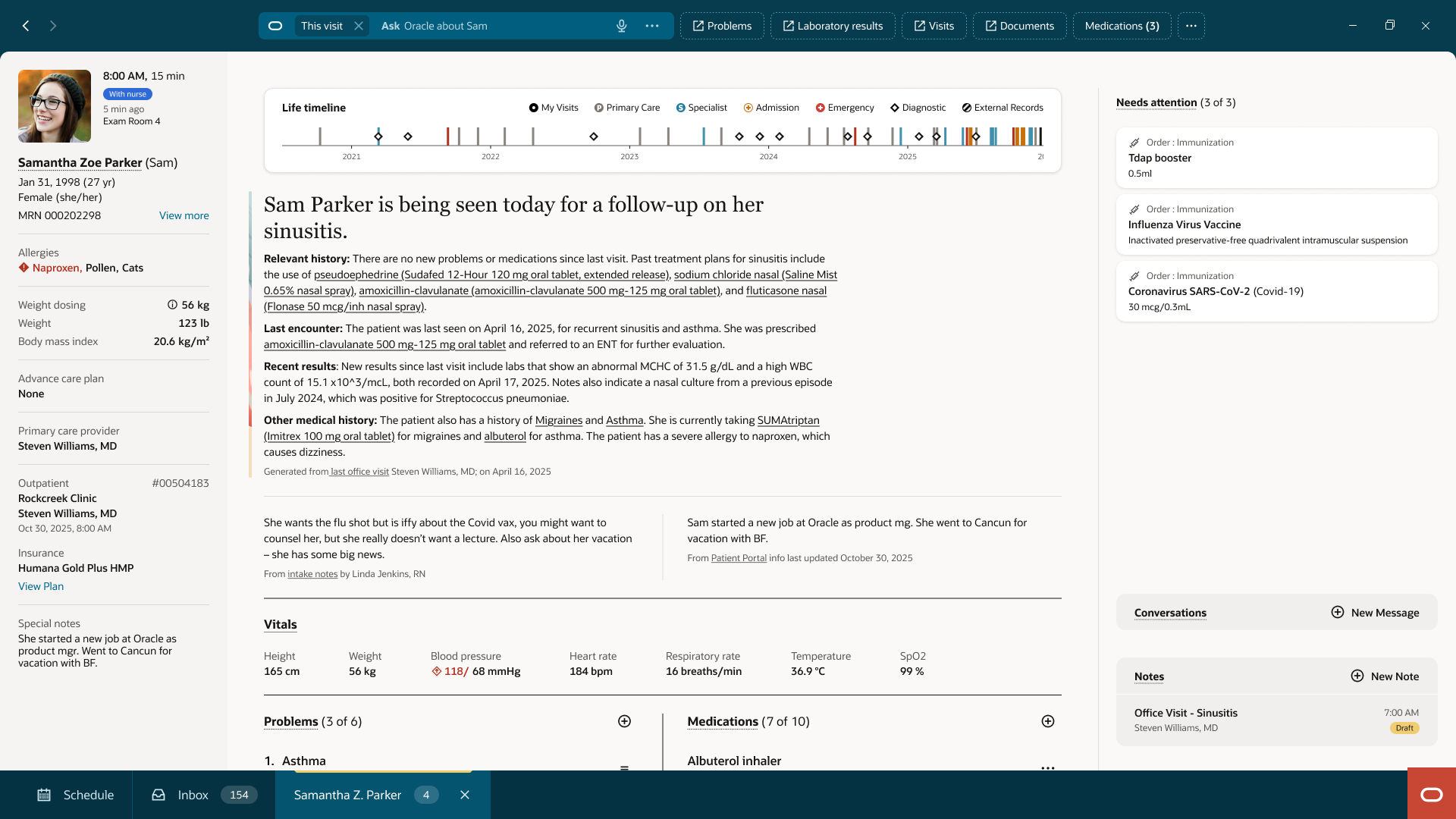
01
Permanent presence
The panel remained visible regardless of task.
02
Competing priorities
Notes, conversations and alerts shared the same visual hierarchy.
03
Inconsistent interaction
Some workflows relied on the panel while others replaced it with anchor navigation.
04
No focus mode
Long-form review still happened inside a narrow side panel.
The redesign wasn't about adding another panel.It was about restoring context to one that already existed.
Rather than introducing a new destination, the redesign redefined how and when the panel participated in the workflow. Every subsequent decision focused on restoring context, reducing cognitive load, and protecting clinical focus.
III — Designing within reality
Navigation guides the task.Context tells you what matters.
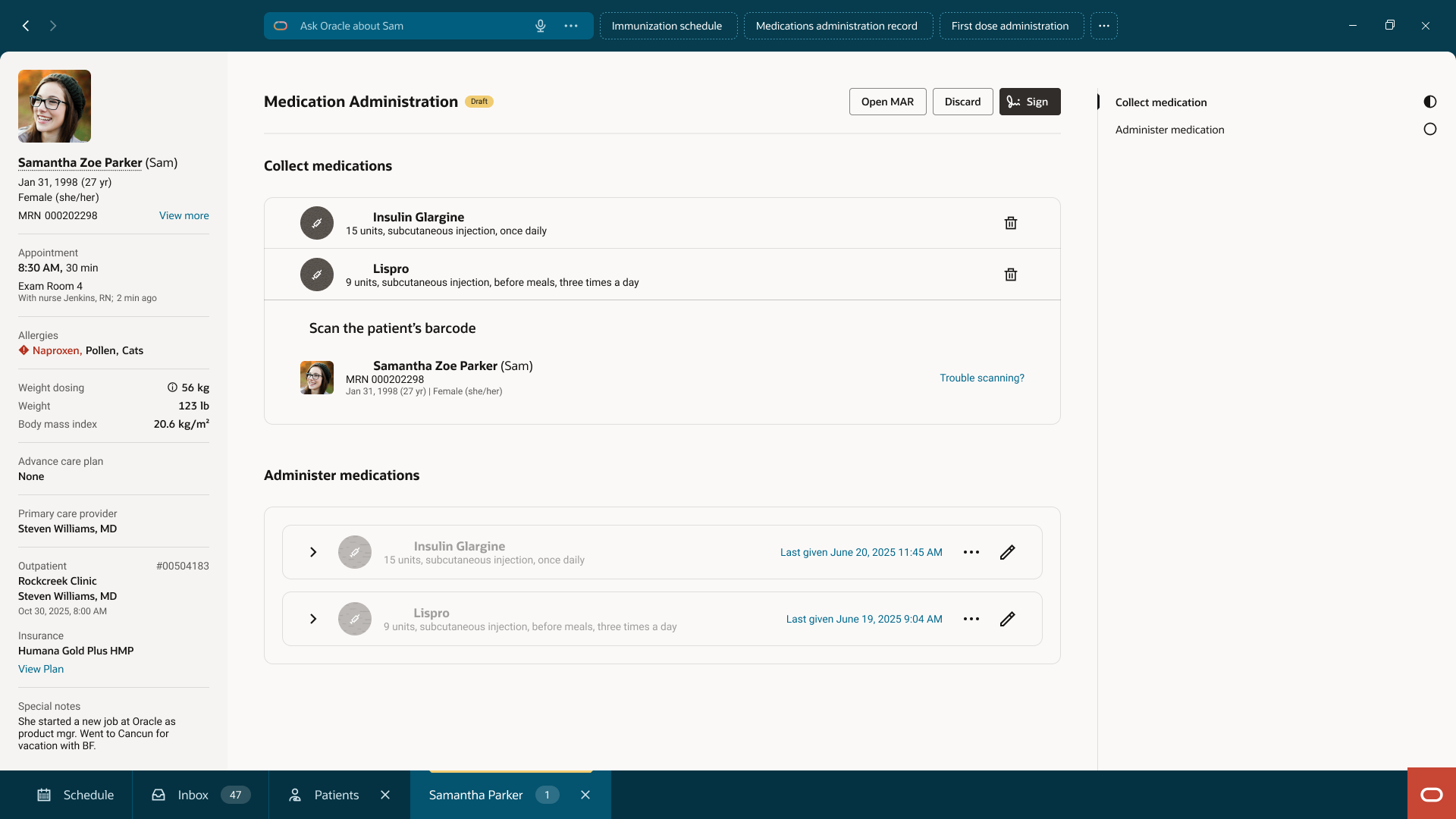
Different workflows required different navigation patterns. Rather than forcing every screen into the same interaction, the redesign clarified responsibilities.
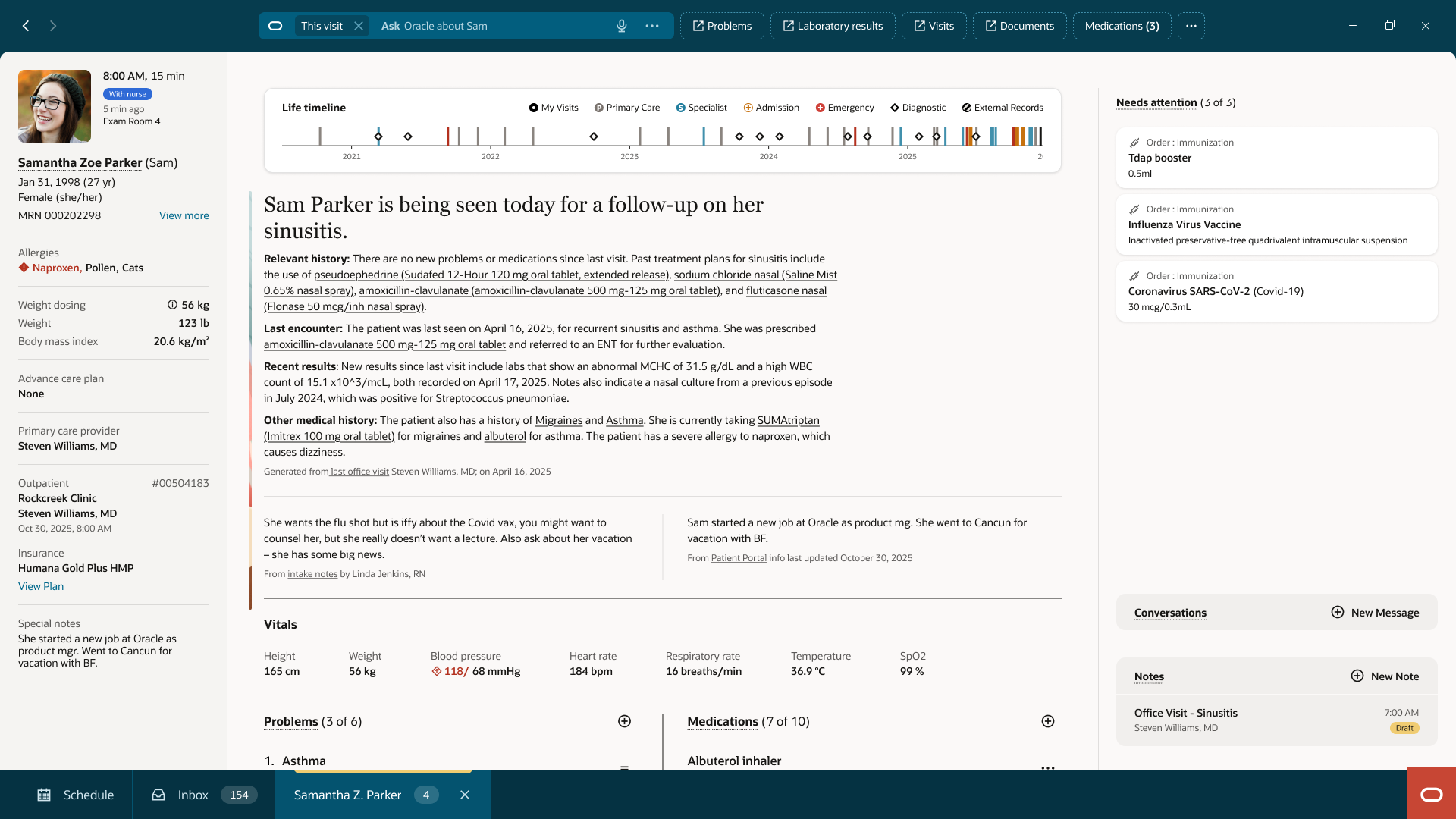
Workflow navigation remained task-specific, while the Right Panel became the consistent home for patient context across the product.
The goal wasn't to standardize every interaction.
It was to give each interaction a clear responsibility.
01
Patient Summary
02
Medication Administration
03
Medication Administration
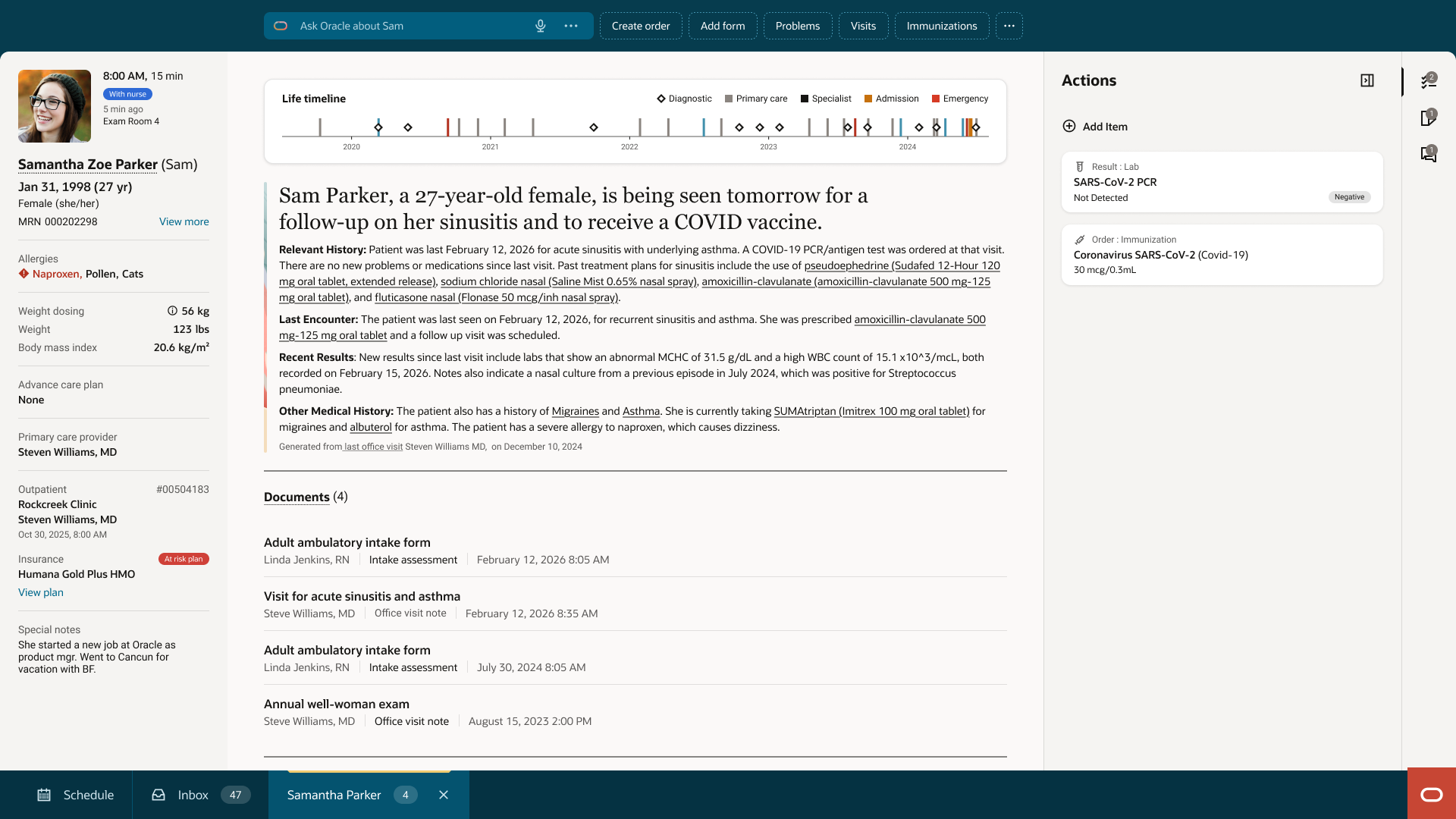
Users shouldn't have to relearnwhere context lives.
By separating workflow navigation from persistent patient context, every workflow could keep the navigation it needed while giving clinicians a consistent place to find what mattered beyond the task itself.
Design Decision 02
Discovery happens in the panel.Work happens in focus.
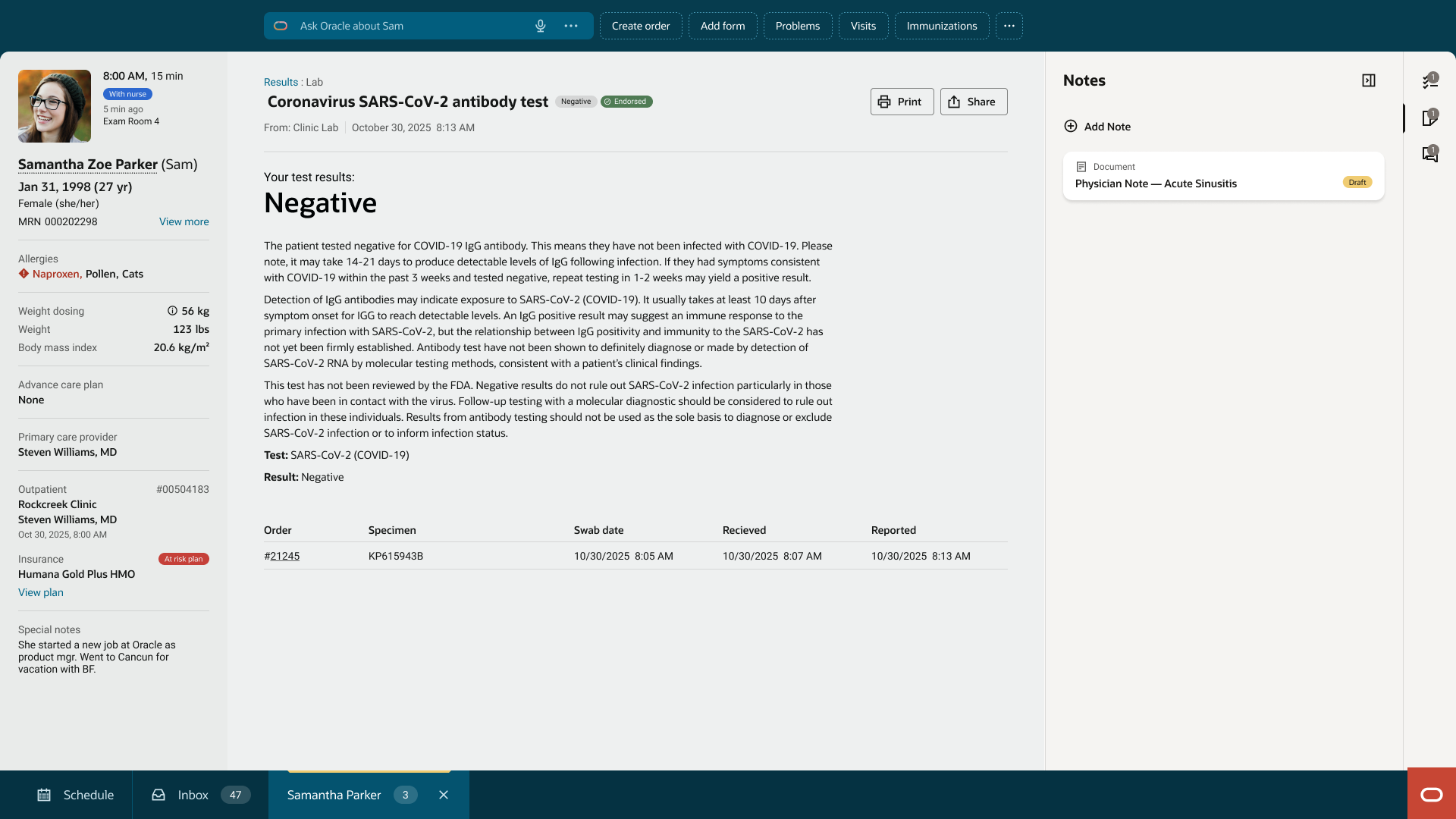
The Right Panel was designed to surface information—not become the place where clinicians completed complex work.
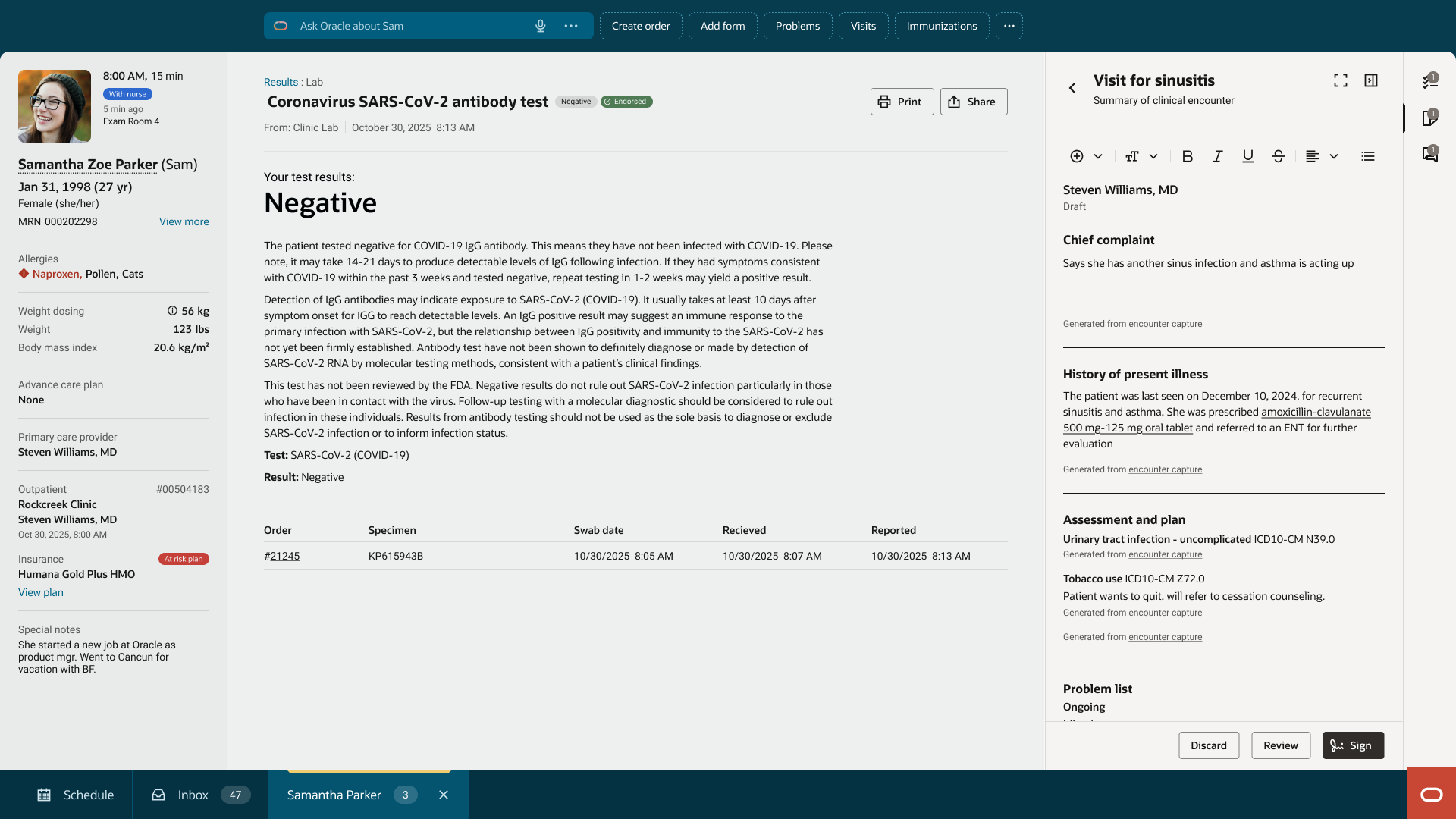
Instead of stretching the panel beyond its purpose, larger tasks transitioned into a dedicated focus mode. This preserved patient context while giving clinicians enough space to review, edit and make decisions without competing with the surrounding interface.
Right Panel
Focus Mode
Not every task deservesthe whole screen.The important ones do.
The panel remained the place to discover information. When a task required sustained attention, the interface expanded with it instead of forcing clinicians to work inside a secondary surface.
Design Decision 03
Focus should expand the task.Not reset the workflow.
Entering Focus Mode shouldn't feel like leaving the workflow.
Clinicians often need additional space to review notes, edit information or complete longer tasks. Instead of navigating away, Focus Mode expands the current interaction while preserving the surrounding context.
When the task is complete, closing the overlay returns clinicians to exactly where they left off—without losing navigation state, selected content or patient context.
Workflow Continuity
Live interaction
01
Discover
Information is surfaced inside the Right Panel.
02
Focus
The task expands into its own workspace.
03
Return
Nothing changes except the available space.
Nothing was lost.The workflow simply continued.
Protecting context wasn't only about keeping the patient visible. It was about ensuring every transition respected the clinician's progress instead of interrupting it.
IV — Outcome
Context became consistent.
Rather than replacing existing navigation, the redesign established a consistent model for accessing contextual information across clinical workflows.
Different tasks continued to use different interaction patterns, but clinicians always knew where context lived.
01
Predictable
The Right Panel became the consistent entry point for patient context across workflows.
02
Focused
Complex work expanded into dedicated spaces without disconnecting clinicians from their workflow.
03
Scalable
The interaction model could be reused across workflows without redefining navigation patterns.
04
Coexisting patterns
Task navigation and contextual workspaces complemented each other instead of competing.
V — Reflection
Context is only useful.If people know where to find it.
Designing the Right Panel challenged one assumption I still encounter today.
One of the first reactions to the concept was that it felt "very nineties." Looking only at the component, the reaction made sense. But the problem we were solving wasn't visual—it was architectural. Context had become inconsistent, scattered across workflows and competing for attention.
The Right Panel wasn't a nostalgic decision. It was a structural one.
Enterprise products rarely become simpler by removing functionality. More often, they become easier to use by giving every interaction a clear responsibility—and by making those responsibilities predictable.